
1 review for Scalloped Honeycomb Racing Graphic 113
Only logged in customers who have purchased this product may leave a review.

$14.99

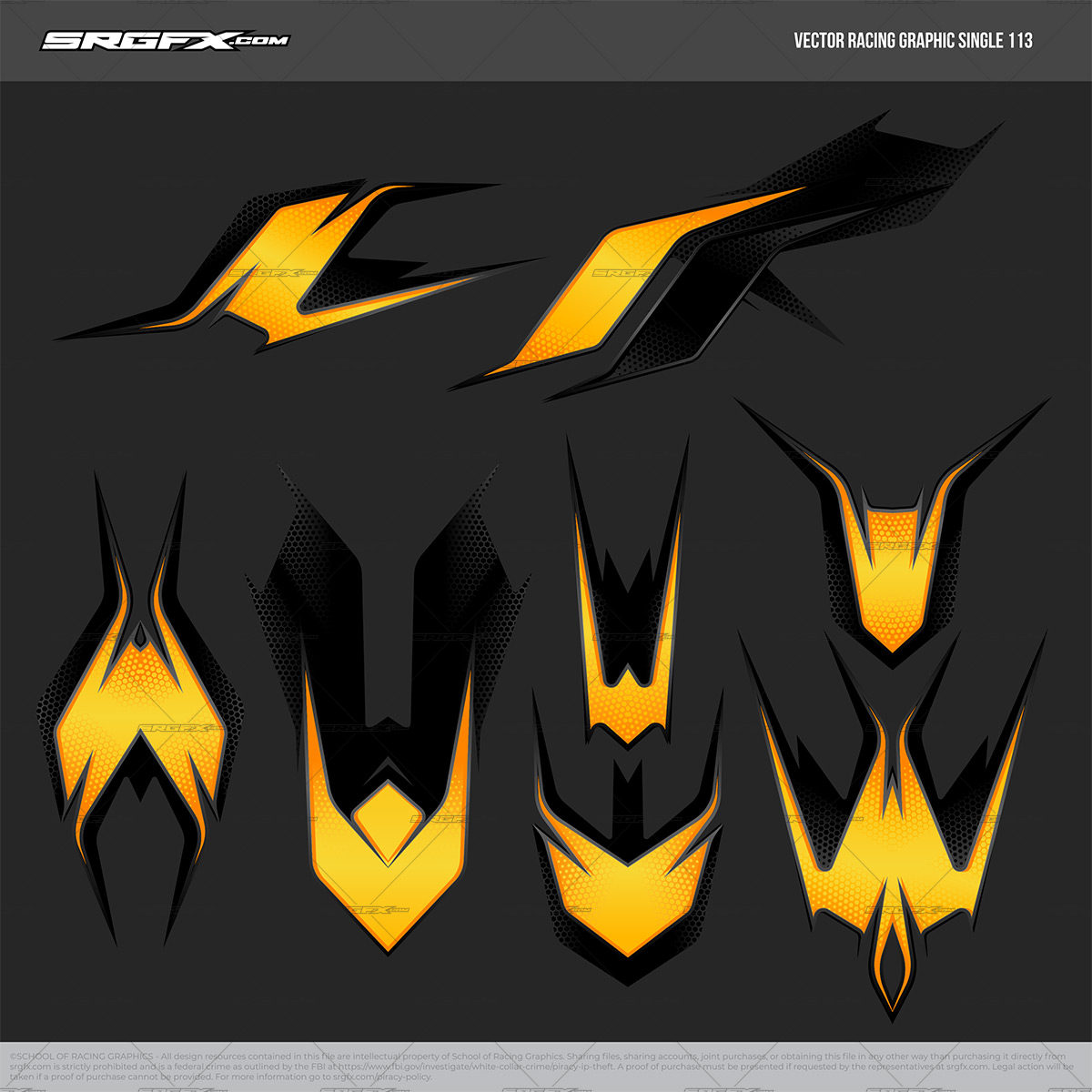
You have large variety of design options with vector racing graphic 113. This vector Racing Graphic includes sharp points, scalloped curves and honeycomb details. This racing graphic is sure to give a complete custom look to your wrap design projects.
This graphic is easy to simplify and modify, easily to changing the colors to any color scheme that matches your design project.
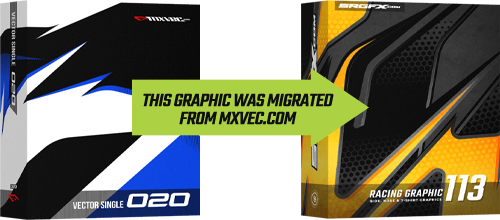
Racing Graphic 113 was migrated from MXVEC.com and was listed as Vector Single 020. If you purchased or obtained this graphic at MXVEC.com, you DO NOT need to purchase again. We will add it to your account with a proof of purchase, contact us here »
Following file types included

Layered in Adobe Illustrator, Corel Draw, Flexi Sign, Photoshop, Inkscape. eps files also included
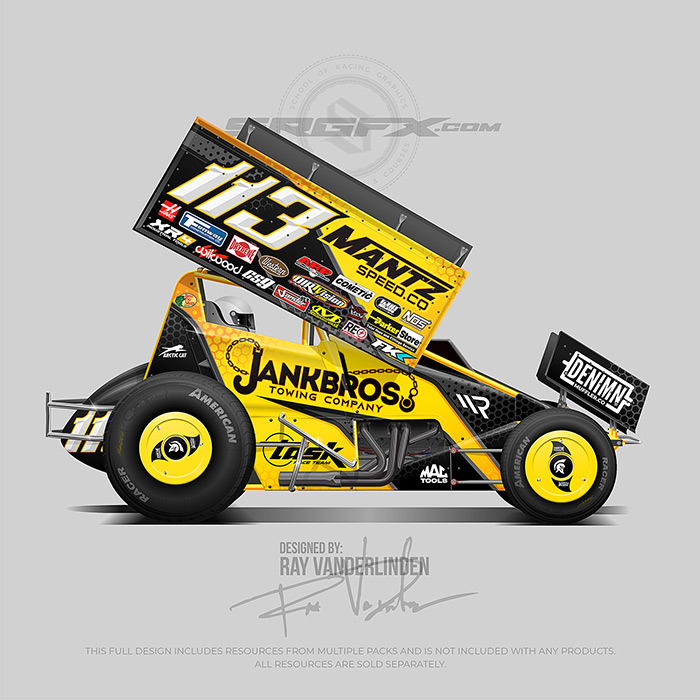
These layouts were completed with the use of this product. The layouts contain multiple products and are not included in any single pack. They are displayed here as a possibility of what can be designed with this resource.
Created by: Richard Andersen

if you run into problems with this file, I will sort it out. Hit me up! »-Ray ⚡Founder - Vector Aficianado - Rad Maker⚡
Only logged in customers who have purchased this product may leave a review.
Introducing the Scalloped Honeycomb Vector Racing Graphic—a must-have digital asset for graphic designers specializing in race car wrap designs. This meticulously crafted vector graphic combines elegant scalloped edges with a distinctive honeycomb pattern, enhanced by dynamic delta shapes and sharp lines that bring a modern, high-energy feel to your wrap design. Whether you’re designing wraps for Dirt Late Models, UMP Modifieds, or other racing categories, this graphic ensures your designs are both daring and visually stunning. The scalable vector format allows for easy customization and seamless integration into various design templates, enabling you to create professional-grade race car visuals with ease. Elevate your design workflow and achieve a polished, cohesive look that captures the essence of competitive racing with this versatile Scalloped Honeycomb Vector Racing Graphic.
Why chose this graphic?
Customize: As the designer you are in control! Customize colors, shapes and more!
Design times: Crush design times. Why start from scratch?
Want it unique?: Edit the points and come up with something custom.
Scalable Precision: Vector-based, scale to any size without losing sharpness or quality.
Versatile: Perfect for everything from small-scale decals to full-vehicle wraps.
What’s Included:
Quality: Hand-drawn elements, carefully created!
Vector Formats: Supplied in industry-standard file formats (AI, CDR, EPS, FS and SVG)
Compatible: Can open and edit in any all industry signage design software.
Bitmap: Fully layered Photoshop file for iracing, gimp users and more.
Perfect For:
Vehicle wraps and decals
Race team and motorsports branding
Sim racing skins, iracing, Rfactor and more!
Custom projects and promotional materials
Battle tested in: Adobe Illustrator, Adobe Photoshop, Affinity Designer, Corel Draw, Flexi Sign, Sign Blazer, Inkscape, Vinyl Express LXI. If your design software is not listed here, we can get it to work. Just reach out!
| File Size | 12.2MB |
|---|---|
| Files Included | .ai, .cdr, .eps, .fs, .psd, .pdf, .svg |
| Opens in | Adobe Illustrator, Affinity Designer, Corel Draw, Flexi Sign, Gimp, Inkscape, Photoshop, Sign Blazer, Sure Cuts A Lot, Vinyl Express LXI and More! |
Yes |
|
| Cut | Yes |
| Scalable | Yes |
| Style of Graphic |
Yes. Almost all SRGFX.com graphics are created with vector editing graphic design software. The beauty of vector graphics is that they can be scaled to any size without losing quality. SRGFX.com vector graphics can be scaled small enough to fit on a 1/48 toy cars (or smaller) or can be scaled up to wrap a building (or larger). There is no limitation for the size of cutting or printing SRGFX.com as long as you have a vector editing graphic design software like the following Adobe Illustrator, Corel Draw, Flexi Sign, Inkscape (Free Program), SignLab, SignBlazer, Vinyl Express LXi, Vinyl Master, etc.
Yes. All SRGFX.com vector graphics are created with the vector pen tool, vector points and brazier curves that are common to all sign design software. However, for those who design with photoshop, SRGFX.com provides high resolution fully layered Photoshop files on specially marked products that would be considered raster files. These files would be edited differently than a vector file but will contain all the necessary layers, which will allow you to modify the graphic and colors as much as possible.
Yes. Any srgfx.com graphic with the word “vector” in the title contains elements for contour cut lines. Please review the preview images on each product to determine if the graphic is worth cutting and and weeding. Some graphics on SRGFX.com can be complex and have many details that may not be ideal for a vinyl layering project.
A. The colors on any SRGFX.com racing graphics can be easily changed. You must have a vector graphic editing program to do so. The reason SRGFX.com sometimes provides color variations is for quick, out of the box options. The following programs can be used to change and manipulate our vector racing graphic packs.Adobe Illustrator, Corel Draw, Flexi Sign, Inkscape (Free Program), SignLab, SignBlazer, Vinyl Express LXi, Vinyl Master, etc.
All of our vector files are able to be opened in every vector program. Because each program is different the results can vary. Listed below are the most common problems and how to solve them.
1. Make sure your download completes. Some files download quick because they are small. That does not mean that all of our files are small or download fast. If the file has a lot of detail or vector points it will most likely take a few minutes to download. Make sure the download completes before unzipping the files.
2. Be sure your internet connection is not timing out before your download completes. This is rare, but it it happens. When it does, it cuts off the download and leaves you with an incomplete file.
3. Do not attempt to open the files without unzipping the folder first. The file should look like a folder with a zipper on it. Right click the completed download. Once you right click you should have one of the following options, Unzip, Unarchive or Uncompress. Once you have have successfully unzipped the files, you can now open the vector graphics in your vector editing software of choice.
Watch video below for more instructions
4. Try all the provided files. All of our vector products include 4 extensions .ai (Adobe Illustrator), .eps (Encapsulated PostScript File), .svg (Scalable Vector Graphic). All of these are vector graphics some vector design software will be more compatible with the different file types. Try them all to see which one works best for you, then delete the rest to keep your product folders neat and clean.
5. Try importing the files. If your vector design software does not open the files by double clicking them. Try importing them or opening them through your vector design software. You can usually do this by going to the Top Menu > File > Open > Browse to the file you want to open, or Top Menu > File > Import > Browse to the file you want to open.
Go to all frequently asked questions »
marshallmaggiestrong84 (verified owner) –
the fine detail is there in this one easy to use and change colors great job fellas!!!!