

Only logged in customers who have purchased this product may leave a review.
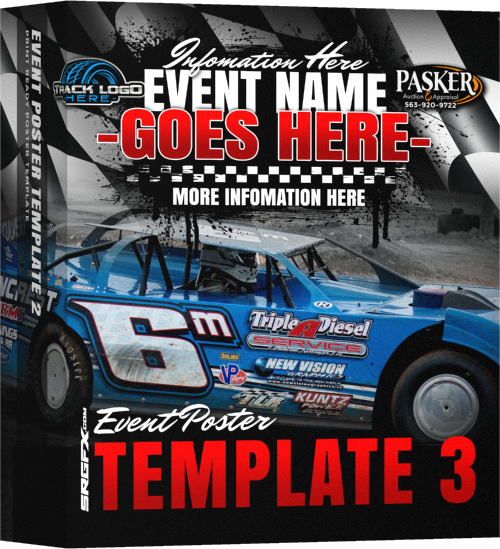
Event Poster Template 3


Guaranteed Satisfaction
if you run into problems with this file, I will sort it out. Hit me up! »-Ray ⚡Founder - Vector Aficianado - Rad Maker⚡
Description
Create event posters easily
SRGFX Racing Event Poster Templates are highly detailed fully layered files that are easy to manipulate and modify.
Adobe Photoshop is required to open and change SRGFX poster templates. Because the poster template files are hi-resolution and layered the download can take 15-30minutes. Please be patient.
SRGFX Poster Information
- 11″ x 17″ 300dpi Can easily make relatively larger or smaller without quality loss
- .5″ safe zone.
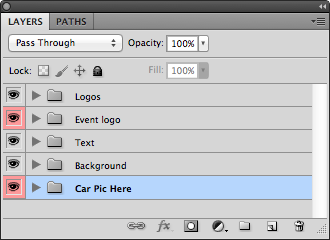
- Photoshop files are fully layered. Edit colors, move graphics, Easy to swap out new picture and sponsors.
- All text is live. Just download the (Commercial Free!) fonts from the links provided in the download. Re-type the information for your specified event.
- Links provided to our favorite online printers.
Some printing specifics
What is bleed? Bleed is a printing term that refers to printing that goes beyond the edge of the sheet before trimming. In other words, the bleed is the area to be trimmed off. The bleed is the part on the side of a document that gives the printer a small amount of space to account for movement of the paper, and design inconsistencies. Artwork and background colors can extend into the bleed area. After trimming, the bleed ensures that no unprinted edges occur in the final trimmed document.
Final print version should always be flat and CMYK. Flatten all your artwork and then switch your document to a CMYK document before sending to the printer. We recommend always sending a PDF file which can be saved from Photoshop. Save as “Photoshop PDF”.
The printer will most likely be using an offset press to print the posters. If your posters are setup as RGB they will ask you to change it, which will add another day to the printing process. When designing, work in RGB, flatten your files and then change to CMYK for print. ALWAYS keep RGB layered versions of your files for future edits.
Reviews
There are no reviews yet.