
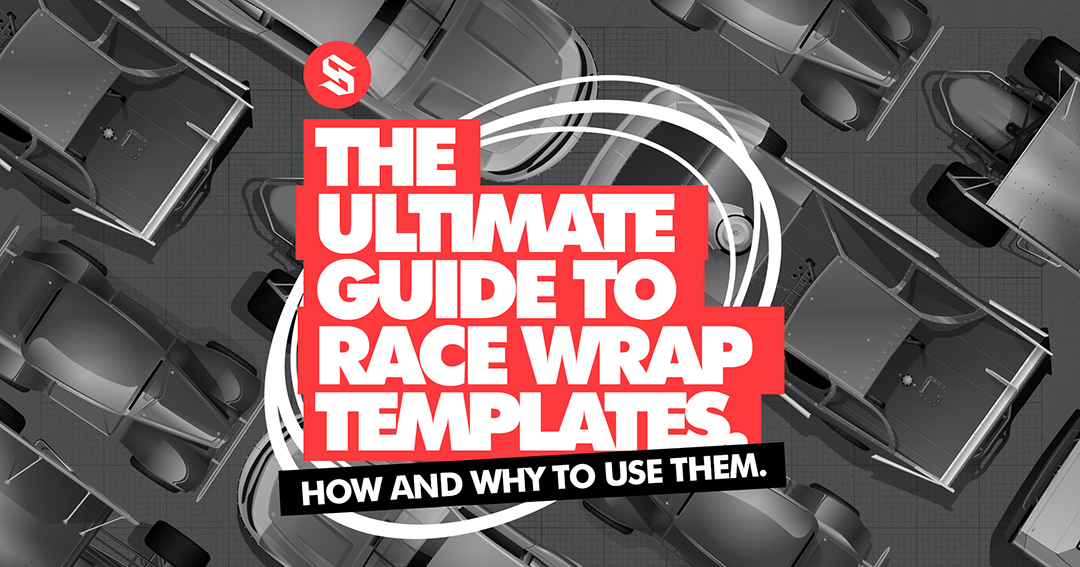
Accurate, professional templates are the foundation of every great wrap design and relieve the painstaking time it takes to create them yourself.
When you design wraps for real race cars, precision and presentation matters. The template you use communicates weather your clients and potential clients should take you serious as a designer or wrap company.
At School of Racing Graphics (SRGFX), every line, curve, and seam is thoughtfully implemented and hand drawn to emulate different body styles, giving you a rock-solid starting point for your next design. We spend approximately 150 to 250 hrs on each template. It’s part of reason it takes us so long between each template launch. We care about excellence.
Our templates are built with a mixture of vector at 300 DPI (depending on your software), side profiles, top views, and fully layered, easy to navigate for easy customization in all major design programs. They aren’t guesses — they’re reliable, flattering representations that help you create wraps that sell. Templates when used correctly are a marketing machine for your design company and wrap business.
What Is a Race Car Wrap Template (and Why It Matters)
A racing template is a digital blueprint that mirrors the side and top views of an actual race car body. It’s used by designers to visualize, build, proof and print wrap designs.
SRGFX templates give you a realistic design canvas that eliminates guesswork — whether you’re building a late model, a dirt modified, Asphalt Late Model or a Crown Vic wrap. They’re also an invaluable sales tool. Present your wrap designs to the public in a professional way. It will lead to your next client. A clean, professional template presentation tells your potential customer you’re serious, organized, and capable of delivering pro-level work consistently.
- It helps race teams and drivers visualize what they’re buying.
- It shows potential clients that you can create an awesome wrap design for them.
- It establishes that you’re a designer who values professionalism and precision.
In short, a great template doesn’t just help you design well — it helps you sell your wrap and design services.
Why Templates Don’t Match Every Car Perfectly
Those of you who are seasoned veterans already know this. Beginners, welcome to the show, this point is important.
Every race team hangs their body panels a little differently — longer nose, taller sides, higher roof, shorter tail. These small variations mean that no template will match every car exactly. SRGFX templates are created as a general, professional baseline that flatters your design and helps show the final look in context. Expect to have to make minor adjustments to your final print file to match your clients body perfectly. This is expected and a standard industry practice.
Compatible with Every Major Design Program
SRGFX templates are built in and have organized layers in:
- Adobe Illustrator (Auto update feature is killer )
- CorelDRAW
- FlexiSIGN
- Affinity Designer ( Use the Illustrator File)
- Photoshop
- Inkscape
- GIMP ( Open the photoshop file)
- VE LXI ( Open the Flexi Files or Eps files)
💡 Pro Tip: Lock the highlight and shadow layers and build your designs below them. This prevents you from accidentally clicking on portions of the template while you are trying to work with your wrap design.
😢 Sad Tip: If you use a free software like inkscape or Gimp. They will work. But remember they are free for a reason. There is difference in the level of quality and ease in premium design software and free design software.
If you are using a template from our site but its not compatible with your software. Reach out and we will help »
Yo Adobe Illustrator users!
Our generation 2 templates (the realism ones) include a killer time saving feature. You can design directly in a clean print file and the wrap automatically populates in the presentation template. No picking through layers (this gives me literal stress and tension in my shoulders) of the template while you are working. The feedback we have gotten on this feature has been overwhelmingly positive. Saving hours of design time with each product. Takes a minute. to understand how it works but once get the hang of it its going to save you tons of time. I made a quick demo video on one of our templates, you can check it out here.
⭐⭐⭐⭐⭐
By far the best template Ray has made yet super easy to use takes no time to add a wrap to it so glad I bought this it was more then worth the money.
Mark Rose on the UMP Dirt Modified Template
⭐⭐⭐⭐⭐
Very easy to input your graphics, and comes with a ton of options for different brand of car you’re designing!
Very helpful, and thorough with instructions! Highly recommended.Hunter Guthrie on the Gen 6 Asphalt Late Model Template
Tips for Accurate Scaling and Print Setup
Before you send your design to print:
- Confirm your measurements— Your print file needs to be adjusted to match your customers car. We include a measurement request sheet with each template.
- Maintain at least a 125 DPI resolution — for any elements that are raster based
- Add bleed — typically 2″ beyond the body line. This gives install wiggle room and your design goes to the edge.
- Do a small test print — Check for color accuracy.
These small steps ensure your printed wrap fits just as cleanly as it looks on screen.
Get this free template tutorial. Just add it to your cart and check out as normal and you will have access to it forever. In it I will walk you through how to prepare and adjust your print files.
Why Pro Designers Choose SRGFX Templates
- Industry standard organized layers
- Includes measurement template so its easy to retrieve measurements from your client
- Makes sharing your designs to socials super easy
- I (Ray VanDerLinden) will help you. If you don’t understand the template or run into trouble reach out »
- Illustrated style. We want them to look like art not pictures.
- Our templates with your designs can be printed and hung as memorabilia. Looks cool hanging on the wall.
Whether you’re a wrap shop owner, freelance designer, like to play around in iracing or a student learning the craft, SRGFX templates are built to help you design faster and sell with confidence.
⭐⭐⭐⭐⭐
One word… QUALITY. The Auto update feature on the presentation template in Adobe Illustrator literally saves hours of time during the design process. Easy to use with impressive yet unique style. 10/10 recommend this product.
Bryce Weldon on the UMP Dirt Modified Template
Start Designing with SRGFX Templates
Every great wrap starts with the right foundation.
Choose your car type, open your software, and start creating — confidently.
👉 Browse All Racing Wrap Templates →
FAQ
Do SRGFX templates fit every car exactly?
Not exactly — body panels vary slightly by team and setup. SRGFX templates are drawn to represent the most common configurations for professional-grade design presentation.
Can I use these templates commercially?
Yes! Once you purchased access, you can use them to create wraps and graphics for your clients.
Which programs are compatible?
Adobe Illustrator, CorelDRAW, FlexiSIGN, Photoshop, Affinity Designer, GIMP, and Inkscape. Really any design software will be compatible but the user experience will vary. If you are using Gimp or Inkscape you should expect the user experience to not be as frienly. Though they are great free tools. They are free for a reason. The main design software we recommend using are in this order.
- Adobe Illustrator
- Affinity Designer
- Corel Draw
- Flexi Sign
- Adobe Photoshop. Photoshop is actually great design software and but its not industry standard for signs and wraps. Great for iracing and video game wraps.
Do the templates include multiple views?
Most include side and top views where applicable. Details are listed in each product description.

Ray VanDerLinden
SRGFX.com Founder and Content Creator